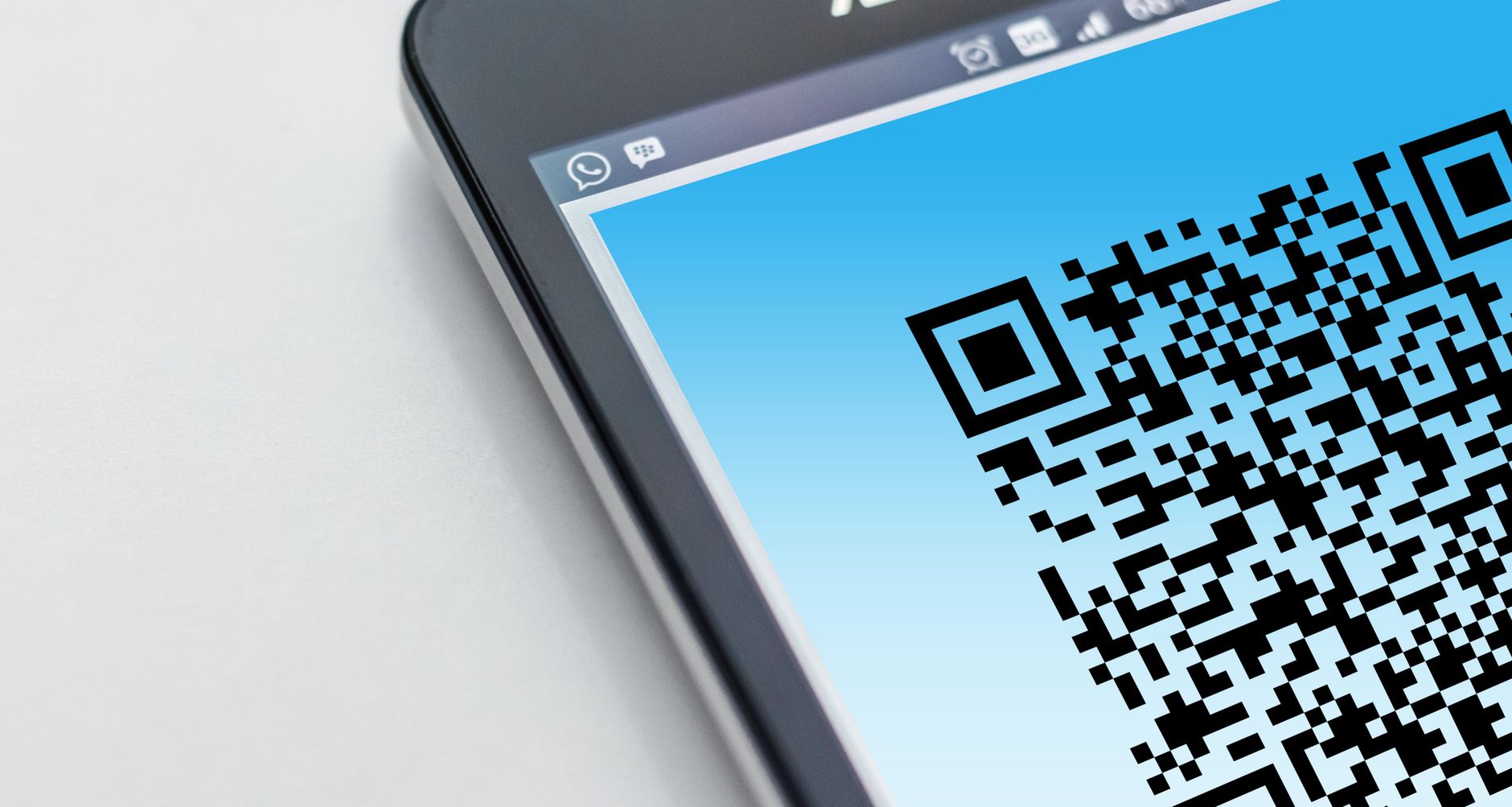

Email security gateways have become sophisticated enough that a plain phishing URL embedded in an email body is likely to be detected and blocked or flagged before it reaches a user's inbox. Attackers who want to bypass this layer of defence have an increasingly documented solution: replace the clickable URL with a QR code image that encodes the same URL. The QR code is an image, and email security tools that analyse URLs do not extract URLs from images by default. The scanning that would catch a plaintext or hyperlinked phishing URL is bypassed because the malicious URL never appears as text in the email.
Quishing, the combination of QR codes and phishing, was documented at scale in multiple research reports from 2023 onwards, and by 2026 it has become a standard technique in the phishing toolkit with documented use by both financially motivated actors and nation-state groups. The technique's persistence reflects its effectiveness: despite growing awareness among security teams, the combination of the email scanning bypass and the shift of the attack to the mobile device, which typically has less security tooling than the corporate laptop, continues to produce successful credential harvests at scale.
When a user receives an email containing a QR code and scans it with their mobile phone, the attack shifts from the corporate laptop (which is managed, monitored, and has endpoint security software) to the personal mobile device (which is often not enrolled in corporate mobile device management, does not have an enterprise security agent, and connects to the internet through a personal data connection rather than the corporate network). The corporate email security gateway, the enterprise proxy, the endpoint detection and response tool, none of these are positioned to observe what happens on a personal phone that scans a QR code and opens a URL in the mobile browser.
This device context shift is the fundamental reason why quishing produces successful outcomes even in organisations with mature email security stacks. The attacker is not defeating the email security stack; they are routing around it. The payload is delivered to a device and over a connection that the security stack does not cover. Mobile browser security features, primarily Google Safe Browsing on Chrome and similar lists on Safari, provide some protection against known phishing pages on mobile devices, but newly created phishing pages that have not yet been flagged by these services are accessible.
Documented quishing campaigns from 2024 and 2025 show strong concentration in a few target scenarios. Microsoft 365 authentication is the most common target: the QR code directs to a phishing page that replicates the Microsoft login flow, collects credentials and sometimes MFA codes, and exfiltrates them to the attacker. The lure email is typically designed to look like a Microsoft security notification, a document sharing invitation, or a Multi-Factor Authentication re-registration requirement. The urgency created by these lures motivates users to scan the QR code immediately rather than questioning its legitimacy.
DocuSign and other e-signature platform impersonation is another heavily documented quishing lure category. Emails purporting to be DocuSign document signature requests containing QR codes instead of the normal document links have been used in campaigns targeting legal, financial, and real estate sector employees. The lure is effective because DocuSign genuinely does send emails with links to documents, and users in these sectors regularly receive legitimate DocuSign requests that they are expected to act on promptly.
Corporate VPN re-authentication requests have been used as quishing lures targeting employees at specific organisations. These campaigns are typically more targeted than the mass-distribution Microsoft 365 campaigns: they reference the specific VPN product used by the target organisation (sometimes obtained from job postings or LinkedIn profiles of IT staff that mention specific technologies), creating a lure that is specifically tailored to the target's technology environment. When such a campaign is observed, it suggests targeted reconnaissance rather than mass-distributed phishing.
Several detection and mitigation approaches address quishing at different points in the attack chain. At the email gateway, advanced email security products that include image analysis and QR code decoding can extract URLs from QR code images in email attachments and bodies, and apply the same URL reputation checks to those extracted URLs as to plaintext links. This capability closes the primary bypass that makes quishing effective, but requires that the email security product specifically supports QR code scanning, which is not universal.
At the endpoint, mobile device management policies can restrict corporate users' ability to open URLs from QR codes on personal devices that are not enrolled in MDM, though this is difficult to enforce in practice and may create friction for legitimate QR code uses. Conditional Access policies that require compliant devices for Microsoft 365 authentication provide a mitigation for the session token theft scenario: if a user is phished through quishing and their credentials are captured, a Conditional Access policy that requires device compliance blocks the attacker from using those credentials from a non-compliant device.
User awareness training that specifically addresses quishing is the behavioural mitigation. Training that explains that QR codes in emails from any sender should be treated with the same suspicion as links, that Microsoft and other major platforms will not ask users to scan QR codes to complete authentication, and that the legitimate way to access a platform is through known bookmarks or direct URL entry rather than through QR codes, addresses the social engineering component that makes quishing effective. Dark web monitoring for phishing kits targeting your brand and for campaigns being coordinated in criminal forums provides the pre-campaign intelligence that allows security teams to warn users and tighten controls before the first quishing email reaches an inbox. Phishing campaign monitoring in these channels is the leading indicator that complements technical controls.
Beyond mass-distribution quishing campaigns that send the same QR code to thousands of recipients, security researchers have documented increasingly targeted quishing attacks where the QR code is personalised to each recipient. Personalised quishing emails reference the recipient by name, mention their organisation, and may include details that suggest the sender has knowledge of the recipient's role or recent activities. These personalised quishing lures achieve higher scan rates than mass-distribution campaigns because they create a stronger sense of legitimacy and relevance.
The personalisation data for these campaigns often comes from the same sources that support all targeted phishing: LinkedIn profiles, company websites, and the increasingly detailed dossiers assembled from data broker sources and previous breach datasets. A finance director who receives a quishing email that references their name, their company's recent acquisition, and a DocuSign document supposedly related to that acquisition is more likely to scan the QR code than one who receives a generic security notification.
Detection of targeted quishing campaigns benefits from the same dark web intelligence that applies to targeted phishing generally: monitoring criminal forums for discussions about your organisation as a target, monitoring data broker sources for fresh compilations of your employee contact information that might be used for targeting, and monitoring for phishing kit purchases that specifically reference your organisation's platforms. The combination of these intelligence signals with technical email security controls is the defence posture that addresses both mass-distribution and targeted quishing.
A particularly effective variant of quishing uses the supply chain as the delivery channel. Rather than sending a quishing email directly to the target organisation, the attacker compromises a supplier or partner, then sends quishing emails from the supplier's legitimate email infrastructure to the supplier's customers. The receiving organisation's email security evaluates the sender's domain, finds that it is legitimate, and delivers the email to the inbox without the phishing flag that a cold sender domain might trigger. The QR code in the email links to a phishing page, but the email itself passes sender reputation checks.
This supply chain quishing vector is particularly difficult to detect through email security alone because the compromise of the sending organisation is a prerequisite. By the time the quishing emails from the supplier reach your inbox, the supplier has already been breached. The attack chains two events: first, a compromise of the supplier (which may have been accomplished through a separate quishing attack on them), and second, the use of that compromised email infrastructure to distribute quishing to the supplier's contacts.
Defence against supply chain quishing requires controls that are independent of sender reputation. User training that teaches employees to treat QR codes with suspicion regardless of sender, email security that decodes and inspects QR code images regardless of the sender's reputation score, and Conditional Access policies that require compliant device authentication even when initiated from a mobile device, all address the supply chain quishing vector in ways that sender-reputation-based filtering cannot. Monitoring for your organisation's name appearing in quishing kit templates in criminal markets is the pre-campaign intelligence that identifies when you are specifically being targeted.
No. While email is the primary delivery channel documented in quishing campaigns, QR codes have been used as phishing lures in physical mail (printed letters or packages delivered to corporate mailboxes), printed materials placed in public spaces like reception areas and conference rooms, and in some cases in social media posts or messaging applications. Physical quishing, where a printed QR code is placed in a location frequented by targets, is particularly effective in high-trust contexts: a QR code on a printed sign in a building's reception area with the organisation's branding has a strong trust signal that email-delivered QR codes lack.
Training that specifically addresses quishing is effective at reducing scan rates when properly conducted and refreshed. The key behaviours to train are treating QR codes in emails with the same suspicion as URLs, verifying the destination of any QR code before taking action, recognising that major platforms do not typically require authentication through QR codes, and using known bookmarks or direct URL entry to access services rather than QR codes. Generic phishing training that does not specifically mention QR codes is less effective because users do not naturally transfer their URL scepticism to QR code scanning behaviour without explicit training.
If a user scans a QR code and is directed to a page that asks for credentials or seems suspicious, the immediate steps are to close the page without entering any information, not to enter credentials or personal information on a page reached through a QR code that they are now unsure about, and to report the email or physical source of the QR code to the security team. If credentials were already entered, the user should immediately notify the security team so that the affected accounts can be reviewed and session tokens revoked. The security team can then correlate the reported phishing attempt with authentication logs to determine whether any accounts were actually compromised.
The only authentication control that is technically resistant to adversary-in-the-middle attacks of the type that quishing campaigns attempt to initiate is origin-bound authentication. When a user's authentication response is cryptographically tied to the specific domain that initiated the authentication challenge, a proxy at a different domain cannot use that response to authenticate to the real service. This is the property that passkeys and hardware FIDO2 security keys with origin checking provide, and it is the reason why these authentication methods are frequently described as phishing-resistant while authenticator apps, SMS, and push notifications are not.
The deployment challenge for phishing-resistant MFA is practicality at scale. Hardware security keys require physical distribution and management. Passkeys require user device support and synchronisation decisions. For large organisations with tens of thousands of users, deploying phishing-resistant MFA universally may be a multi-year programme rather than a quick control implementation. In the interim, the pragmatic approach is risk-stratified deployment: deploy phishing-resistant MFA first for the accounts that represent the highest risk if compromised (administrators, finance users, executives) while implementing layered controls for the broader population.
The layered controls for the broader population include Conditional Access policies that use risk signals to challenge suspicious sign-ins even when the user has completed standard MFA (Microsoft Entra's risk-based Conditional Access evaluates sign-in risk based on factors like IP reputation, device compliance, and anomalous sign-in patterns), email security that decodes QR codes in inbound emails, and user training specific to quishing. None of these controls is as absolute as phishing-resistant MFA, but each reduces the success rate of quishing attacks in ways that compound when implemented together.
External threat intelligence monitoring contributes to quishing defence at the pre-campaign stage. Criminal forums where phishing kit operators discuss campaigns, advertise their infrastructure, and sell access to captured credentials contain early indicators of campaigns in planning or execution. When a forum discussion references your organisation's brand as a target, or when a phishing kit listing includes templates impersonating your login page, that intelligence gives your security team a window to heighten controls and communicate warnings to your users before the campaign reaches full operational scale.
Phishing infrastructure monitoring, which tracks newly registered domains that match known phishing patterns and identifies domains using your brand's visual assets or copy, provides a parallel detection stream. A domain registered yesterday that replicates your Microsoft 365 login page is likely associated with a quishing campaign targeting your users. Identifying that domain before it is used in email distribution and submitting it to browser phishing lists, firewall blocklists, and the registrar's abuse team reduces the campaign's effectiveness even if the emails containing the QR code with that domain's URL have already been sent.
The quishing threat is amplified by two structural features of many organisations' current working arrangements. Hybrid work, where employees split their time between office and home environments, means that a significant proportion of work is done outside of the corporate network perimeter, on home broadband connections that do not route through the corporate proxy or secure web gateway. Security tools that provided URL filtering and phishing detection based on network traffic inspection do not see the traffic from home network connections; they see only what passes through the corporate network or through agent-based solutions on managed endpoints.
Bring Your Own Device (BYOD) policies, which allow employees to use personal smartphones and tablets for work purposes, directly create the attack surface that quishing exploits. The personal mobile device that scans a QR code from a work email is the same personal device that accesses corporate resources through a BYOD MDM profile, potentially allowing a session token captured through quishing to be used to access resources that the BYOD device is authorised to reach. BYOD policies that do not require the device to meet security compliance standards for corporate resource access undermine the Conditional Access controls that would otherwise flag anomalous session token use.
The intersection of quishing risk and hybrid/BYOD working models is why some organisations review their hybrid work and BYOD policies specifically through a security lens after conducting a quishing risk assessment. The goal is not to prohibit these working models, which provide genuine productivity benefits, but to ensure that the security controls applied to devices and sessions that access corporate resources do not create gaps that quishing can exploit. Conditional Access policies that require device management compliance regardless of whether the device is personal or corporate, combined with phishing-resistant MFA for corporate resource access, address the specific gaps that quishing exploits in hybrid/BYOD environments without eliminating the flexibility those environments provide.
The email authentication standards that have become widely adopted in recent years, specifically SPF, DKIM, and DMARC, address a different category of email threat than quishing. These standards prevent attackers from sending emails that claim to originate from your organisation's domain, protecting against impersonation of your outbound email. They do not address inbound quishing emails, which originate from attacker-controlled domains and are not claiming to be from your domain. An organisation with a perfect email authentication deployment (strict DMARC policy, all legitimate senders properly configured) is still fully exposed to inbound quishing campaigns that send QR codes from attacker-controlled infrastructure. The quishing defence requires the controls described in this article rather than the email authentication standards that address a different threat model.
QR code phishing campaigns distribute lures through channels that internal email security cannot scan. Cloud misconfiguration exposures appear on attacker reconnaissance tools within hours of being created. Both categories of threat depend on external visibility: seeing what your organisation looks like from the outside, including the assets and attack paths that internal tools have no context for.
Defendis monitors your external attack surface continuously and correlates it with dark web threat intelligence, so that you know about exposed assets before attackers find them, and about phishing infrastructure targeting your users before the first credential is stolen.
Book a demo to see external attack surface and threat intelligence monitoring in action.